






MEDIA
Screens and video
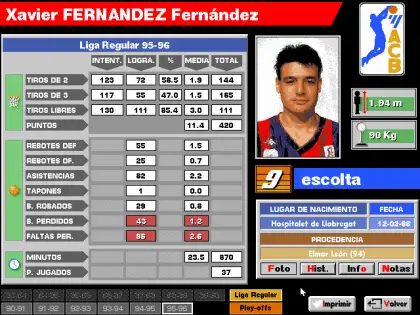
CREDITS
Development team
Base de datos, estadística, Manger: David Galeano
Simulador de baloncesto: Javier Fáfula
Otra programación: Ignacio Abril, Francisco Javier Serrano García, Pablo Ariza Molina, Carlos Abril.
Gráficos base de datos, Manager: Alberto Moreno (Grihan) "Grihan"
Gráficos, animaciones simulador: Emilio Serrano García
Digitalizaciones: Sergio G. Abad
Documentación, base de datos: Víctor M. Martín, Gabriel Ruiz Tejedor
Fotografías base de datos: ACB, Gigantes
Efectos sonoros: The Sounds Factory, Víctor Ruiz Tejedor
Músicas: Rubén Rubio Nielpha
View full credits Simulador de baloncesto: Javier Fáfula
Otra programación: Ignacio Abril, Francisco Javier Serrano García, Pablo Ariza Molina, Carlos Abril.
Gráficos base de datos, Manager: Alberto Moreno (Grihan) "Grihan"
Gráficos, animaciones simulador: Emilio Serrano García
Digitalizaciones: Sergio G. Abad
Documentación, base de datos: Víctor M. Martín, Gabriel Ruiz Tejedor
Fotografías base de datos: ACB, Gigantes
Efectos sonoros: The Sounds Factory, Víctor Ruiz Tejedor
Músicas: Rubén Rubio Nielpha
AROUND THE GAME
Links and presence
IN THE CEZ ZONES



DISCOVER
Related games




COMMUNITY
Latest comments
1) Descomprime el juego. 2) Ejecuta el archivo INSTALAR.EXE. No desde DOSBox, desde tu sistema operativo. 3) Después dirígete al directorio donde lo hayas instalado (por defecto C:\BASKET4) y, entonces sí, ejecuta el programa con DOSBox.
2018-05-15 08:52:01 02 Octane¿Cómo puedo ejecutar el juego en Dosbox? No me permite ejecutar ningún archivo.
2018-05-14 15:38:37 03 PabloNo me permite instalarlo, esto es una basura, no consigo encontrar el pc basket 4.0 por ningún lado
2016-10-14 19:23:24 04 antoniobuenas, me gustaria saber como puedo instalar el juego, me lo he descargado y nose que hacer graias y un saludo
2010-11-16 23:10:05