




El Enigma de Aceps


screenshots
4 (5 available)
Random video
1 available
Amstrad CPC
computer emuzone review

Published on2002/09/20
A classic adventure for the Spanish people, in both Amstrad and PC versions. The last one was dissapeared for a long time, until october 2010, when we uploaded it, being available for first time in Internet.
Guide to load correctly the PC MS-DOS version of the game:
1. COPY PCDOS31.IMA, ACEPS.IMA, CAFAX.IMA to the folder where the executable of DosBox is installed (DOSBOX.EXE).
2. RUN DOSBOX.EXE making double clicking on the icon.
3. Whe Z> (or similar) appears type exactly:
BOOT PCDOS31.IMA CAFAX.IMA ACEPS.IMA and press [ENTER]
4. You'll see it loading and after a few seconds it will ask for Vdisk (Yes / No). It isn't important if you answer Yes or No (press N). Then it will ask for time and date (press [ENTER] in all cases). After a couple or three more messages, it puts A>.
5. Now click once [CTRL] [F4] (to change PCDOS31 to CAFAX disk). Now write CAFAX and press [Enter].
6. After a few seconds it asks you to insert the ACEPS disk. At this point click once [CTRL] [F4] (to change CAFAX to ACEPS disk) and press [Enter] to accept.
6. After 10-15 seconds, you'll see another message asking you CAFAX DISC. Now press the [CTRL] [F4] (to change ACEPS to CAFAX disk) and again [ENTER].
7. Soon you'll see the pyramids. Press [ENTER].
8. After a pair of successive loading screens you could play.
Notes:
A. Every time you restart the game, it asks you ACEPS and CAFAX disk, so you have to press again the combination [CTRL] [F4] one or two times depending on the prompted disc, and then [Enter] to confirm (see paragraphs 5 and 6 above).
B. To give you a clue, in the window attached to the DosBox one, every time you press CTRL F4 it will update you what is in the disk drive 0 (unit A) and which in the disk 1 (Unit B) on a cyclical basis. El Enigma de Aceps under DosBox only works with the drive (disk 0), so the title corresponding to 0 is the disk you have inserted. You have to have clear what disk have you inserted.
Guide to load correctly the PC MS-DOS version of the game:
1. COPY PCDOS31.IMA, ACEPS.IMA, CAFAX.IMA to the folder where the executable of DosBox is installed (DOSBOX.EXE).
2. RUN DOSBOX.EXE making double clicking on the icon.
3. Whe Z> (or similar) appears type exactly:
BOOT PCDOS31.IMA CAFAX.IMA ACEPS.IMA and press [ENTER]
4. You'll see it loading and after a few seconds it will ask for Vdisk (Yes / No). It isn't important if you answer Yes or No (press N). Then it will ask for time and date (press [ENTER] in all cases). After a couple or three more messages, it puts A>.
5. Now click once [CTRL] [F4] (to change PCDOS31 to CAFAX disk). Now write CAFAX and press [Enter].
6. After a few seconds it asks you to insert the ACEPS disk. At this point click once [CTRL] [F4] (to change CAFAX to ACEPS disk) and press [Enter] to accept.
6. After 10-15 seconds, you'll see another message asking you CAFAX DISC. Now press the [CTRL] [F4] (to change ACEPS to CAFAX disk) and again [ENTER].
7. Soon you'll see the pyramids. Press [ENTER].
8. After a pair of successive loading screens you could play.
Notes:
A. Every time you restart the game, it asks you ACEPS and CAFAX disk, so you have to press again the combination [CTRL] [F4] one or two times depending on the prompted disc, and then [Enter] to confirm (see paragraphs 5 and 6 above).
B. To give you a clue, in the window attached to the DosBox one, every time you press CTRL F4 it will update you what is in the disk drive 0 (unit A) and which in the disk 1 (Unit B) on a cyclical basis. El Enigma de Aceps under DosBox only works with the drive (disk 0), so the title corresponding to 0 is the disk you have inserted. You have to have clear what disk have you inserted.

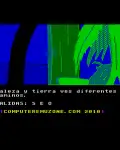
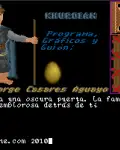
Las dos versiones tienen idénticos gráficos, aunque el color es mucho más abundante en Amstrad debido a las restricciones de la tarjeta CGA.
Por su parte, el sonido también es mejor en la versión 8 bits, así que queda claro cuál de las dos está por delante.
Por su parte, el sonido también es mejor en la versión 8 bits, así que queda claro cuál de las dos está por delante.
related
If you like it...





User comments
View all (7)
Hola, he instalado el programa para jugar al juego pero no se que debo hacer para arrancarlo. Extraje el archivo zip. del juego pero cyuando lo arrastro a MSDOS el juego no arranca. Qué esto…
Lo de las voces no lo recuerdo, puedes comprobarlo con la otra versión, que está en un subdirectorio del archivo.
Cuanto tiempo sin ver este juego. La ultima vez lo jugué hace una purrela de años en CPC y casi me lo pase. Por cierto, ¿¿es normal que en la versión pc no tenga voces digitalizadas?? Solo o…
AFFILIATES

thanks
The Clonner, Ripshaw8080, Neville
PC DOS game
Álvaro Hermida Correa
PC cover
PC walkthrough


Ángel Menezo
Federico Alonso
Carlos Carpio
Xavier García